
Searching the Montgomery County Court Docket
Start at the Clerk of Courts for a Montgomery County court docket. The case may sit in Municipal Court, Common Pleas General Division, Domestic Relations, or the Second District Court of Appeals. The clerk runs a portal called Public Records Online v3, or PRO. Entries shown there match the official docket exactly, the clerk says. Remember, though, PRO is not everything. Probate Court keeps its own case search. The Juvenile Court has its own clerk, and several city courts use separate portals. The court named on your paperwork tells you where to look first.
Search works best with a precise identifier. A case number or ticket number beats anything else. A party name can serve too. Add a first name, the case type, and a sensible date range. Treat the online result as an index and event log. For a certified docket, judgment, or document, go to the clerk. It must be the court holding the original record.
- Open PRO and read its public-access notice before relying on a result.
- Enter a Case Number or Ticket Number when known; otherwise use name fields and narrow with a Case Type.
- Choose CRIMINAL or CIVIL for a General Division matter, or the correct Eastern or Western municipal category.
- Open the Case Info and docket view, then read the most recent entry before acting on an older hearing notice.
- Confirm a live setting through the division’s calendar or staff, and request a certified copy from the proper clerk channel if one is needed.
Note: A docket search points you to a court record. It certifies nothing and replaces no notice from the court itself.
Montgomery County PRO Court Docket Coverage
PRO reaches four local court layers. Common Pleas General Division civil and criminal cases sit inside it. So do County Municipal, Domestic Relations, and Second District appellate matters. That breadth saves many people a courthouse trip for current records. It also makes your court choice matter. One search panel holds General Division categories. Paired Eastern and Western municipal categories sit alongside them. So the division you pick changes what a query can return.
| Search field | Use in Montgomery County | Helpful narrowing |
|---|---|---|
| Case Number | Direct route for a known case | Keep the year and local type code together |
| Ticket Number | County Municipal citation route | Use the East or West traffic category |
| Last and First Name | Public party-name search | Add case type and date range |
| Case Type / Action Type | Separates criminal, civil, traffic, and family paths | Use an action type for a focused civil search |
A search stops at its first 1,000 results. When a broad name query misses, narrow it instead of reading an empty-looking result as final. The clerk's online search is free public access, not a statewide Ohio trial-court index.
Montgomery County Court Docket Search Limits
Even a tight Montgomery County docket search has boundaries. PRO covers only the court layers named by the Clerk of Courts. It stops at 1,000 results. It will not turn a party name into an Ohio-wide index. Probate and Juvenile records sit outside it. A public search screen may also omit documents still processing. Restricted documents may be missing too. So may anything held by a separate city court.
When a query misses, restart with a better court choice. A known ticket goes in the Ticket Number field. A county Municipal matter needs the right Eastern or Western category. A Common Pleas case belongs under General Division, never a city-court selection. Then add a first name, a date range, or an Action Type. Do not broaden the request over and over. That local method beats treating one result list as a full record inventory.
If a court file stays hidden online, use the proper clerk. Go to the court counter. Staff there can confirm which court keeps the record and whether a public access limitation applies. A missing web result is never a case outcome.
Inside a Montgomery County Court Docket
Think of a Montgomery County court docket as a chronological register. It usually lists the case identity, the court or division, filings, notices, and settings. Orders come later, along with disposition or appeal activity. Fields differ by court and case type. A short entry label is never a full narrative. A plea-hearing setting, for instance, sets no recorded outcome. That comes only in a later entry or order.
| Case number | Identifies the court file; General Division schedules use year plus CR for criminal and CV for civil context. |
|---|---|
| Case type | Classifies the matter and helps route a PRO search to the right court layer. |
| Docket entries | Chronological filings, notices, court events, orders, and recorded results. |
| Settings | Hearing information that must be read with later continuance or reset entries. |
| Documents | Associated online images are redacted and may be delayed, restricted, or unavailable. |
| Disposition | The entry or order recording a court result, not merely a scheduled event. |
The court's daily calendar offers a second view of a setting. Judge, time, case number, event, floor, and room may all appear. Use it to confirm a listing that day. It still does not replace the full case register.
Montgomery County Probate Docket Searches
Probate is the local exception that most often sinks a PRO search. Montgomery County Probate Court runs a separate Probate case search for its own matters. It accepts Case Year, Case Number, Last Name, and First Name. Take a number like 2010EST01270. The court's instructions split it. The year component and the trailing numeric portion go in separate fields.
This court handles estates, trusts, guardianships, name changes, and marriage licenses. Other statutory Probate matters sit here too. Protected records carry confidentiality limits. That covers adoption, civil-commitment or mental-health, tax-filing, and related matters. Juvenile matters follow separate clerk and confidentiality rules too. So a no-result in PRO says nothing about either system on its own.
When a public online result falls short, try the Probate Court record route. It offers case-search and certified-copy direction. Keep the court name and case number intact when you ask for help. One county site does not make every division's docket interchangeable.
Courts That Keep Dockets in Montgomery County
Montgomery County has several court custodians, not one universal docket office. Common Pleas splits into General, Domestic Relations, Probate, and Juvenile divisions. County Municipal Court has Eastern and Western divisions. Dayton and Kettering each run independent municipal-court systems. Know the court first. Applying a valid search method to the wrong docket wastes the effort.
| Court | Docket covers | Where to search |
|---|---|---|
| Common Pleas General Division | Felonies and major civil matters | PRO and Clerk Records Section |
| Domestic Relations | Divorce, dissolution, support, and related family matters | PRO, clerk, and Assignment Office for settings |
| Probate Court | Estates, trusts, guardianships, and Probate matters | Separate Probate case search and court counter |
| County Municipal East / West | Adult traffic, criminal, civil, and small claims in their territories | PRO plus the proper division clerk |
| Dayton or Kettering Municipal Court | City court cases within each court’s territory | The city court’s own portal or clerk |
Second District appellate records for Montgomery County can also appear in PRO coverage. A notice of appeal on a lower-court docket may spawn a separate appellate case number. Preserve every number you find. Never assume one file follows a matter through all court layers.
Montgomery County Court Docket Calendar Checks
Need to pin down a General Division appearance in Montgomery County? Set the case docket beside the General Division daily docket grid. Add the posted judge and arraignment schedule. The grid lists a name or style, judge, time, case number, event, floor, and room. That makes it handy for same-day directions. Still, the docket itself and court staff win any argument between the two. Confirmation works differently by division. Domestic Relations sends setting questions to its Assignment Office. Probate posts its own daily hearing schedule. County Municipal cases run through PRO plus the Eastern or Western clerk, whichever applies. Dayton’s docket report and Kettering’s court schedule cover their own city courts. Remember that a recurring courtroom schedule only orients you. It never proves a case avoided a reset. Once the case is in hand, the county Court Dates page helps. It lays out the full range of online, calendar, and phone options.
How to Find Court Dates and Settings
When a date looks shaky, read the docket from the newest entry backward. A hearing notice can give way to a continuance, a cancellation, or a fresh setting. In Montgomery County, four details sharpen the next step. They are the case number, the court, the judge, and the event label. The local order is intentional. Case docket first, division calendar second. Then turn to the assignment office, clerk, or coordinator if the live date stays unclear. Some patterns repeat. General Division arraignment and grand-jury dockets run on Tuesday and Thursday mornings. Judges rotate through those dockets. Those schedules can explain a location, but the newest entry always governs. PRO’s Judge’s Calendar adds a judge, a beginning date, and a time span. It also offers a choice to show resulted events. Treat it as a date-window tool, not an Ohio-wide calendar.
- Setting
- A scheduled court event, such as arraignment, pretrial, or hearing.
- Continuance
- A docketed postponement of a hearing or deadline.
- Reset
- A plain-language description for moving a prior court setting.
- Resulted event
- A calendar event that already has a recorded result.
Montgomery County Docket Image Timing
PRO keeps two things separate. One is the docket entry; the other is the document image that may sit behind it. Redacted images normally appear 48 to 72 hours after filing, per the clerk. So a missing image can mean the processing lag. It can also mean confidentiality, suppression from online view, or a technical glitch. What it never proves is a dismissal, a nonexistent filing, or an automatic seal. Montgomery County’s official court-service gateway connects a docket question to the right local court or clerk.
That same gateway helps when PRO coverage does not fit the case type. Use it to find the correct court or clerk. For the full public file, the clerk allows broad viewing. Traffic, criminal, civil, domestic-relations, and appellate records can be viewed during normal business hours, absent a court restriction. Counter access is broader than the screen. It does not promise every image online or every protected record on demand.
Public Access to Court Dockets
Ohio Rules of Superintendence access rules govern the state’s court records, and they presume public access with listed exclusions and court restrictions. The Montgomery County Clerk draws the local line plainly. PRO gives a limited online view, while a courthouse visit may reach records that are public yet not shown remotely. A document missing from the web calls for careful, court-specific follow-up rather than assumptions.
Key Rules:
Ohio Sup.R. 44–45 explains the presumption of public court-record access and the rules for restrictions.
Ohio Revised Code 2303.12 addresses Common Pleas appearance, trial, and execution dockets.
Ohio Public Records Act, R.C. 149.43 governs administrative public records, while case-file access follows the court rules.
Different rules cover protection-order categories, sealed filings, juvenile matters, sensitive identifiers, and some Probate records. General Division Rule 2.06 may permit clerk-counter inspection while blocking remote access, or it may restrict both. Ask the court for the controlling rule or order instead of guessing why an item is missing.
Montgomery County Docket Record Copies
Three formats, three purposes. The online docket shows the case. A redacted image shows a filing. A certified copy carries legal weight. PRO can display an entry perfectly, yet the clerk does not certify the portal display. The Clerk’s published schedule sets regular copies at $0.10 per page. Certified copies run $1 per page, and authenticated or triple-sealed copies cost $5. Match the format to whatever the receiving court or agency demands. For Common Pleas matters, the Clerk’s records-request instructions permit in-person, mail, and email requests. A mailed request needs advance payment once the page count is confirmed. Add a self-addressed stamped envelope too. County Municipal copies go through the proper division in person, by phone, fax, or mail. One caution: a browser printout can identify a filing. But it is not the clerk-certified version of that court record.
Docket Records at the Clerk's Office
The Montgomery County Clerk of Courts, Mike Foley’s office, maintains the PRO docket layers for Municipal, General Division, Domestic Relations, and the Second District. For a Common Pleas record request, the Records Section is the desk to contact. Do not confuse it with e-filing. Montgomery County eFlex files documents, while PRO serves the public docket and redacted images.
Clerk Records Section
Montgomery County Courts Building, Room 104
41 N. Perry Street, Dayton, OH 45422
937-496-7762
Turn to the clerk records page for an official copy, a document absent from the screen, or a certification question on a specific case. Probate and Juvenile keep their own clerks, so the Records Section is not a universal county custodian.
Montgomery County Historic Court Dockets
A dead-end PRO result does not end the hunt for an older Montgomery County case. It just means the modern search tool cannot see that far back. The Records Center and Archives holds the deep history. Civil appearance dockets start in 1803. Criminal docket and blotter material dates from 1836, plus Court of Appeals docket series, books, microfilm, and case files. Digging into these records works best when you bring the court, the date range, the case type, and any case or party identifier you know. Repeated portal searches will not get you there. The Records Center and Archives collection guide lays out the historic series. It also explains how to submit a request. One caution is worth noting. A small staff can face a long queue, so patience helps. Nothing checks out or sits open for browsing. That makes an archival request a very different animal from a quick PRO docket lookup.
Montgomery County Court Dockets by City
City matters split across more than one docket route in the five biggest cities. Dayton runs its own Municipal Court and Clerk portal. Kettering also handles Centerville cases. Huber Heights falls to County Municipal Court Eastern Division, while Trotwood hosts the Western Division. The city printed on a ticket matters. It can point you to a court path that the countywide PRO categories never mention.
Dayton Docket Search
Dayton Municipal Court and its independent Clerk search routes.
Kettering Docket Search
Kettering Municipal Court also serves nearby local governments.
Huber Heights Docket Search
County Municipal Court Eastern Division is the local court route.
Centerville Docket Search
Centerville traffic and misdemeanor cases go to Kettering Municipal Court.
Trotwood Docket Search
County Municipal Court Western Division holds the local docket.
Dayton's Census QuickFacts page offers official city context for the largest city court route in the county.
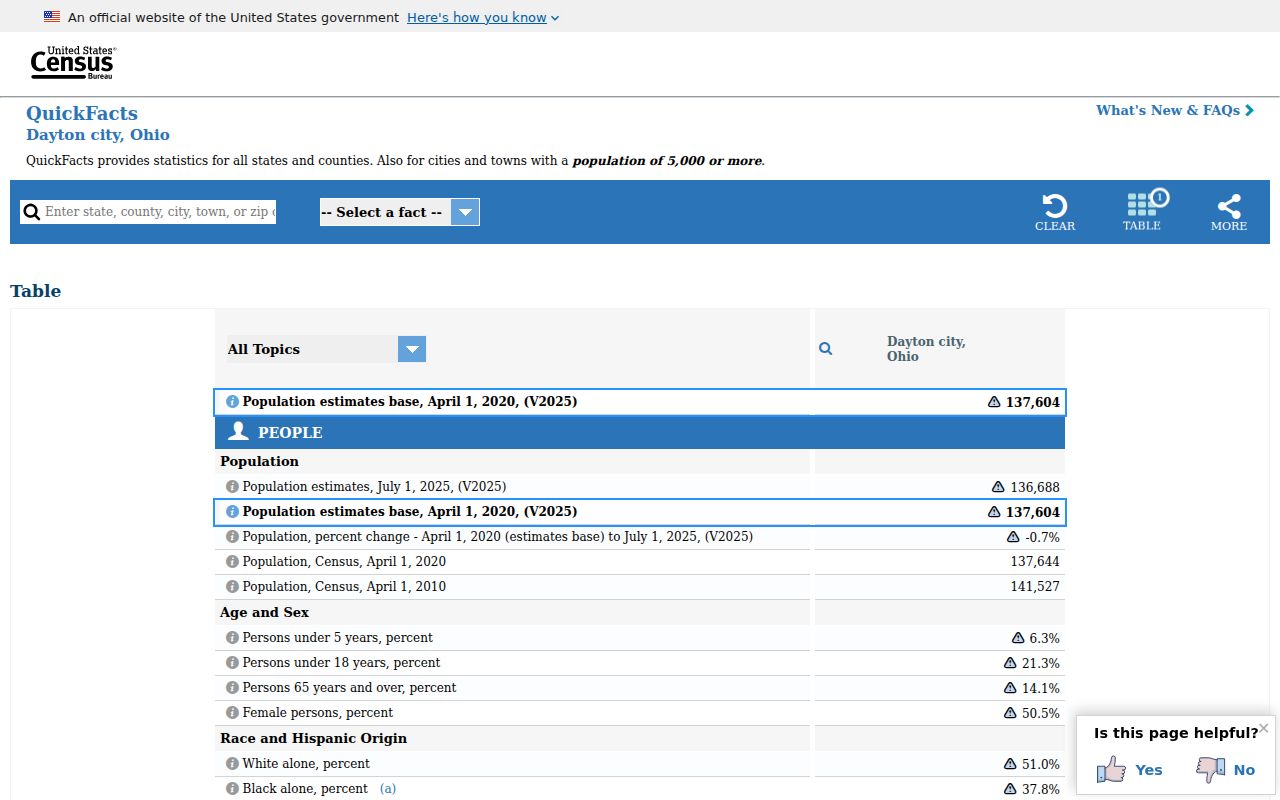
Dayton's local court system stands on its own for city-court cases. Felony or Common Pleas matters climb to a different docket layer later. Kettering's Census QuickFacts page supplies matching official context for the Kettering court territory.
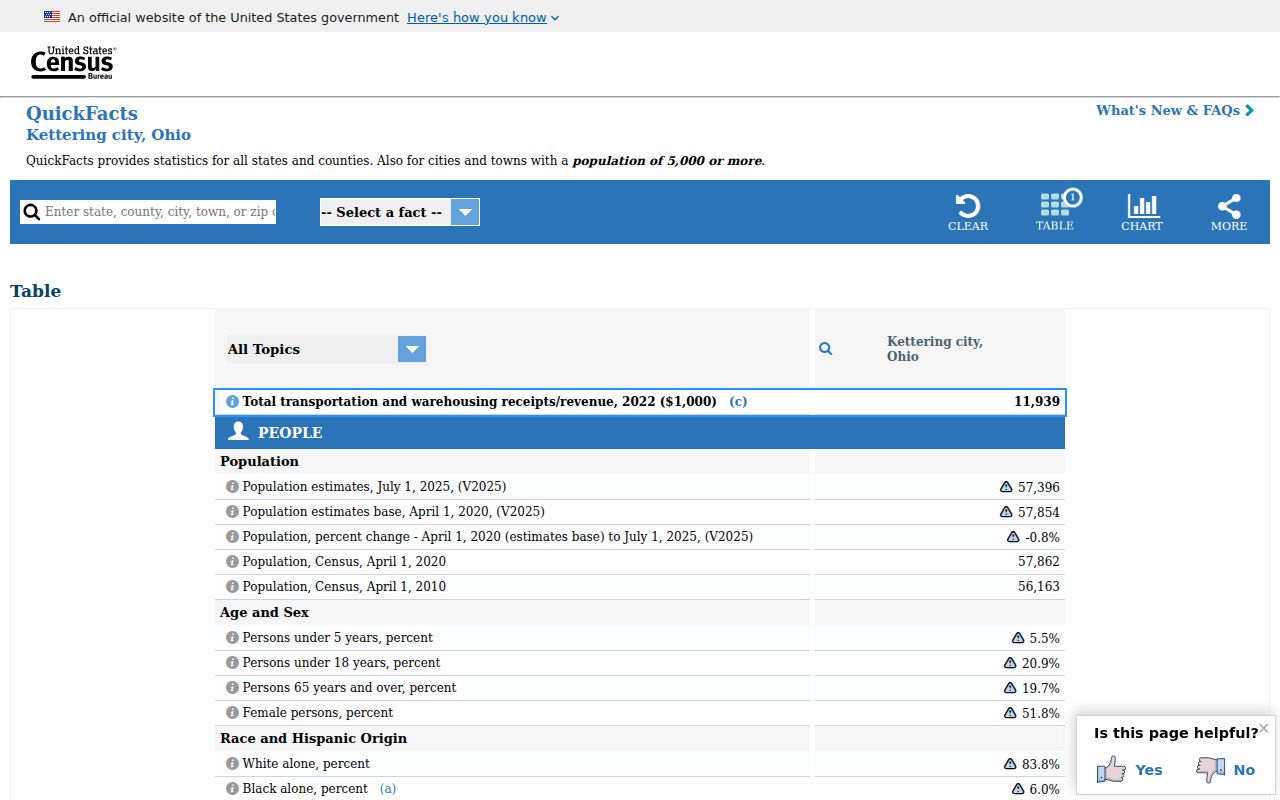
Centerville cases ride the Kettering route. Searching them under County Municipal East or West will miss.
Map and Directions to the Montgomery County Courts Building
Common Pleas General Division felony and larger civil files, plus the Clerk's Records Section, are kept at the Montgomery County Courts Building, 41 N. Perry Street in downtown Dayton. Probate Court shares the same building on the second floor, while Domestic Relations sits a few blocks away at 301 W. Third Street and county Municipal Court runs from two separate divisions in Huber Heights and Trotwood. Everyone entering the Courts Building, along with purses and packages, is screened for weapons at the door.
Montgomery County Courts Building
41 N. Perry Street
Dayton, OH 45422
937-225-6000
Monday-Friday, 8:30 a.m.-4:30 p.m.
Clerk Records Section (Common Pleas copies)
Room 104, 41 N. Perry Street
Dayton, OH 45422
937-496-7762
Guns, knives, chemical mace, pepper spray, scissors, carpet knives, knitting needles, and nail files are prohibited at screening. For parking, the East Lot at West Second and North Perry is entered only from Second Street, and the county garage in the 400 block of West Second is entered from Second just west of the Juvenile Justice Center; the East Lot has accessible parking, and disability accommodations can be arranged at 937-225-4704 or through Ohio Relay at 1-800-750-0750.