
How to Search Cases by Name
For a name search, start with Montgomery County Clerk of Courts Public Records Online v3, or PRO. Its General Search covers Municipal, Common Pleas General Division, Domestic Relations, and Second District Court of Appeals records. The Clerk holds all of them. Think of it as a convenience. It is not a certified record. Enter the fewest personal fields needed to single out the case. Then add a case type or date range if the list comes back too broad.
- Open PRO and remain on the General Search tab.
- Enter a last name and then a first name when that added field is known.
- Select a case type that fits the court, such as CRIMINAL, CIVIL, DIVORCE, or a municipal East or West category.
- Use a begin and end date to narrow the window if the initial result set is large.
- Open a matching case, confirm the court and case type, then read the newest docket entries.
Skip the Attorney Search tab for this. That tab uses Attorney Last Name and Attorney First Name fields and answers a different question than a party lookup.
| PRO field | Type | Required | Local use |
|---|---|---|---|
| Last Name | Text | Unspecified | Primary public party-name field. |
| First Name | Text | Unspecified | Narrows a common last-name result. |
| Company Name | Text | Unspecified | Organization lookup path. |
| Case Type | Dropdown | Unspecified | Distinguishes Common Pleas, municipal East/West, traffic, civil, and family routes. |
| Begin Date and End Date | Date pickers | Unspecified | Limits the filing-date window. |
Montgomery County PRO Search Form
The full General Search form adds Case Number and Ticket Number fields. Case Type options run from CRIMINAL, CIVIL, DIVORCE, DISSOLUTION OF MARR., and LEGAL SEPARATION to COURT OF APPEALS, TRAFFIC EASTERN DIVISION, TRAFFIC WESTERN DIVISION, and many paired municipal categories. For CIVIL matters, an Action Type refines the search further. Choices include mortgage foreclosure, personal injury, other tort, professional tort, administrative appeal, and forcible entry. The clerk-created PRO portal shows this official search form itself.
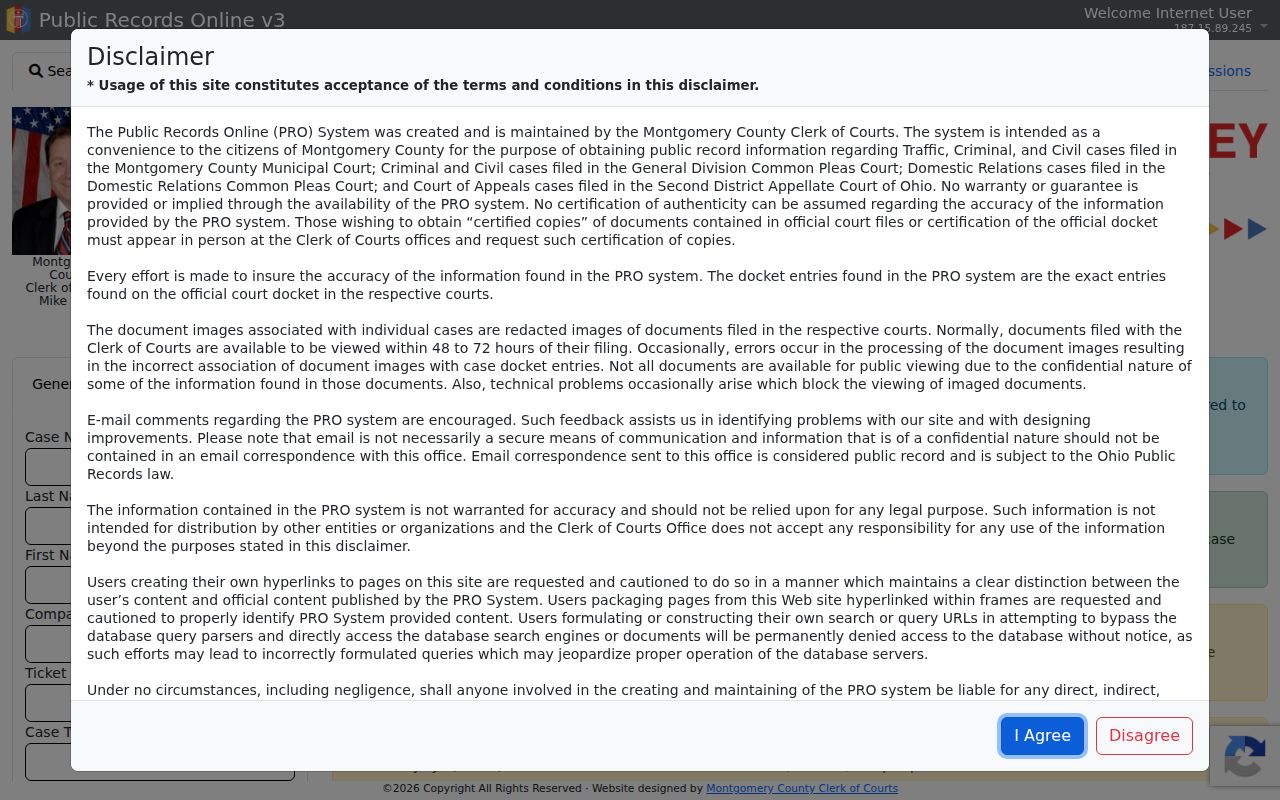
The public form marks its criteria as unspecified rather than required. Start with the most exact input you have, then broaden only if nothing comes back.
How to Search by Case Number
A case number is usually the strongest Montgomery County case lookup input. Type it into PRO's Case Number field and leave the court context alone. General Division numbers pair a year with a type code and sequence, like 2025 CR 01234 for criminal or a year with CV for civil. Municipal files lean on type and division clues, such as 2026 TRD 00001 W. Give the clerk that number exactly as written when you call or request a copy. One caution. A later appeal, enforcement matter, certificate of judgment, or transfer can spawn a related number in a different court layer, so the original does not always travel with the case.
Montgomery County 1,000 Result Limit
PRO caps every search at the first 1,000 records. That stated limit sinks a broad last-name search when the name is common. Narrow it with a first name. Case Type, Action Type, date range, ticket number, or the exact number itself also work. Division choice matters too. Eastern and Western municipal filters can hide an otherwise valid county case. That happens if you pick the wrong one. When a citation shows a ticket number, use it first. A known court file calls for its Case Number. If a narrower attempt is needed, the Clear control resets the search panel.
Local search tip: PRO’s 1,000-result cap does not mean a case is missing. Narrow the local fields before drawing a conclusion from a short result list.
What a Case Search Shows
PRO opens a public case-index path. It leads into Case Info and the docket view for the records it covers. The Clerk calls the chronological docket entries the exact entries on the official court docket. So the screen can help you identify a case and trace its event history. Two limits apply. It does not certify the result. It does not promise that every document image is available.
| Case number | The court’s identifier, often containing year, type, sequence, and sometimes local division context. |
|---|---|
| Court and case type | The court layer and category needed to distinguish General Division, municipal, domestic relations, or appellate records. |
| Case style or party context | The identifying public case-index information supported by name and company searches. |
| Docket entries | The dated official event record, including filings, notices, settings, orders, and results. |
| Judge and setting data | Calendar context from PRO or the General Division grid when the interface shows it. |
| Document images | Redacted images that normally appear 48 to 72 hours after filing, subject to restrictions or technical limits. |
An event history can be exact while a document image lags or never loads. The docket entry and the image are two different forms of access, and one does not guarantee the other.
Montgomery County Municipal East and West
County Municipal cases sit in two buildings but one portal. Eastern Division covers Huber Heights, Riverside, and its assigned territory. Western Division handles Trotwood, Brookville, and its own. PRO pairs traffic, O.V.I., parking, criminal misdemeanor, felony, small-claims, rent-escrow, contract, forcible-entry, and other civil labels across the two divisions. Check the citation or paperwork for the geographic court before choosing a filter. Independent cities run their own courts. A Dayton, Kettering, Miamisburg, Vandalia, or Oakwood municipal case belongs to that city's portal and clerk. It does not fall under the county East or West category.
County vs Statewide Case Search
Ohio has no public statewide trial-court case-index that stands in for a county clerk system. The Ohio Courts Network is court infrastructure, not a searchable statewide public docket portal. For any case the Montgomery County Clerk covers, PRO is the route. A case from another Ohio county belongs with that county's court or clerk. It will not simply appear in PRO.
| Montgomery County PRO | Statewide Ohio trial-court portal |
|---|---|
| Public index for Clerk-held Montgomery County Municipal, General Division, Domestic Relations, and Second District cases. | No comparable public statewide trial-court case search exists. |
| Searches name, number, ticket, type, action type, and dates for local covered cases. | Does not provide a replacement county-level public docket route. |
| Can show the local docket entries, but cannot certify a record. | For another county, use the appropriate court or clerk directly. |
Montgomery County Probate Case Search
Probate sits outside PRO. Estates, trusts, guardianships, name changes, marriage matters, and other Probate records live in the official Montgomery County Probate case search. Its published fields are Case Year, Case Number, Last Name, and First Name. It also offers Estate Type Search and person-name paths. The court gives one worked example. For 2010EST01270, put the century and year in Case Year. Enter only the trailing digits in Case Number, then select Go.
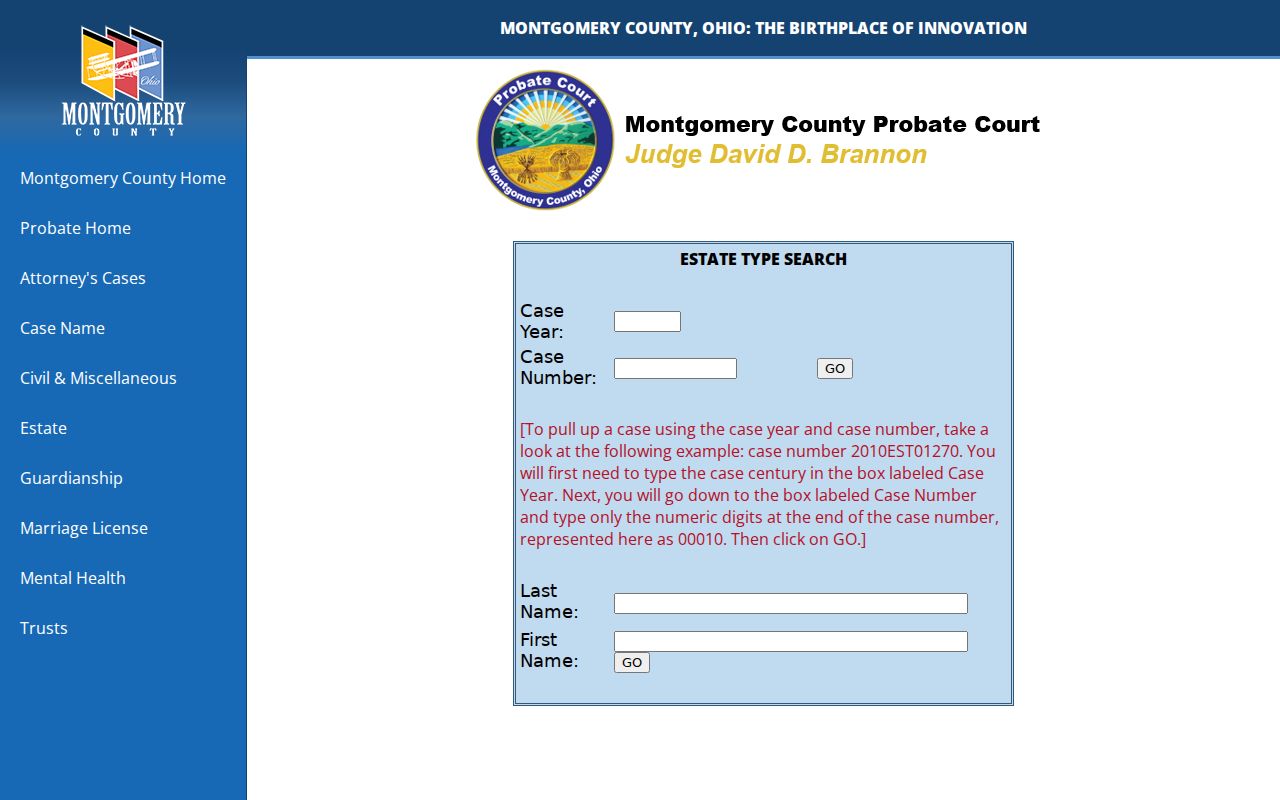
Probate updates its website daily. Adoptions and mental-health records stay out of the public search because of confidentiality.
Restricted Cases and Access Rules
PRO skips Juvenile entirely. That docket runs through a separate Clerk of Courts operation. Confidentiality limits set by statute or rule keep much of it closed. Probate also sorts its records into its own access categories. Protection orders get special handling too. The Clerk suppresses online information for Civil Stalking or Sexually Oriented Offense protection orders. Domestic Violence Protection Orders are suppressed along with them. So when one of those categories comes back blank online, treat it as a wall, not proof that no court file exists.
Access in Montgomery County follows a presumption of openness. Ohio Rules of Superintendence presume the public can view court records, though defined restrictions exist. General Division Local Rule 2.06 sorts documents into tiers. The tiers are no remote public access, no remote or direct public access, and Judge Access Only. A missing image alone does not mean a record is sealed.
Montgomery County Juvenile Records
Juvenile cases in Montgomery County take a different path. Delinquency, dependency, neglect, and abuse matters sit with a separate Juvenile Court and its own clerk. They do not show up as a PRO search category. So an empty result on a broad PRO name search tells you nothing about a juvenile case. It also is not a way to request protected information. Don't try it that route.
Ohio Revised Code 2151.356 governs when an eligible juvenile record can be sealed, though it comes with conditions and exclusions of its own. Questions about a Montgomery County juvenile docket or a sealing request? Go straight to the Juvenile Court Clerk or the court itself. The PRO public search form is the wrong door for that.
Montgomery County Official Record Copies
A PRO copy is public, yet it carries no certification. Need something official? The Clerk's records request page spells out how to order a regular, certified, or authenticated copy. The fees are simple. Regular copies run $0.10 per page, certified copies cost $1 per page, and authenticated or exemplified copies are $5 each. For Common Pleas, the Records Section takes requests in person, by mail, or by email. You'll find it at 41 N. Perry Street, Room 104, Dayton, OH 45422.
Montgomery County Municipal works differently. Its Eastern and Western Divisions accept requests in person, by phone, by fax, or through the mail. A mailed request needs advance payment once the clerk confirms a page count. A self-addressed stamped envelope is required for the return. Give the clerk a hand. A case number, the court, the item you want, the copy type, and a delivery method all speed up the search.
Note: An online case lookup shows the public docket path. But only a clerk-certified copy counts when certification is required.
Montgomery County PRO and eFlex Access
PRO and eFlex are not the same tool. PRO is the Clerk-curated public docket and document view for covered records. Montgomery County eFlex is the filing system for Common Pleas General Division and Domestic Relations users. It is not a public case-lookup route, and it cannot bypass court-record access limits.
The General Division e-filing materials draw a useful line. Public PRO images differ from records in an eFiling user's recent cases. Those records may not yet be redacted. So a public visitor should stick with PRO. The appropriate clerk counter and the published records request process work too. A filing login is for filing, not for public record access.